Reset fault codes and monitor DPF status in BMW vehicles
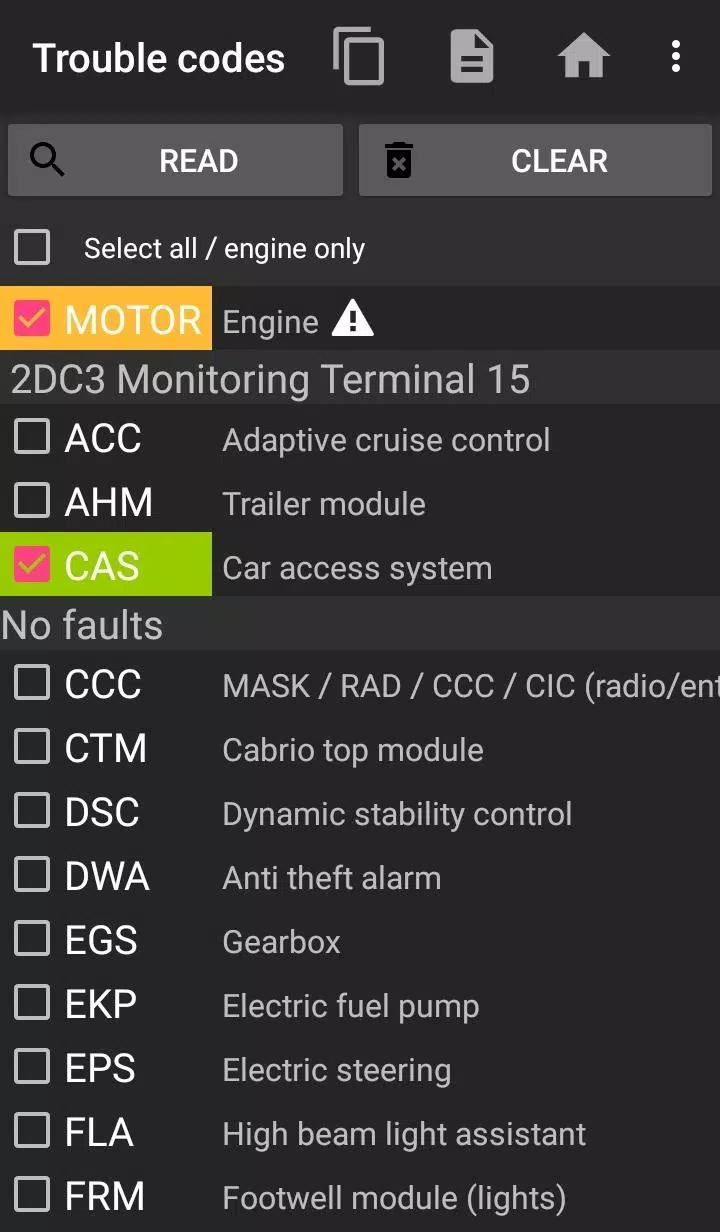
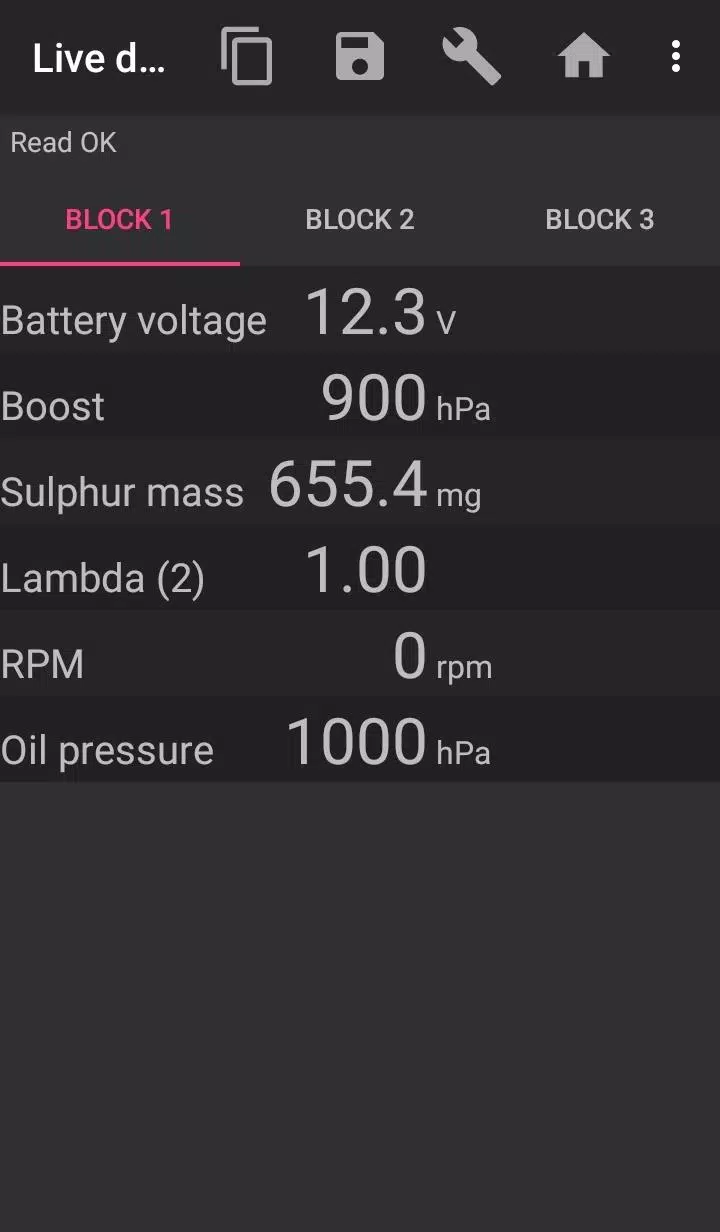
Bimmer-Tool enables you to diagnose and clear fault codes, initiate DPF regeneration, access live engine data, and perform multiple functions across BMW models.
For vehicles manufactured before 2008, feature availability may be restricted. We strongly suggest using a K+DCan USB cable connection, as wireless ELM adapters might not support full functionality with pre-2008 models.
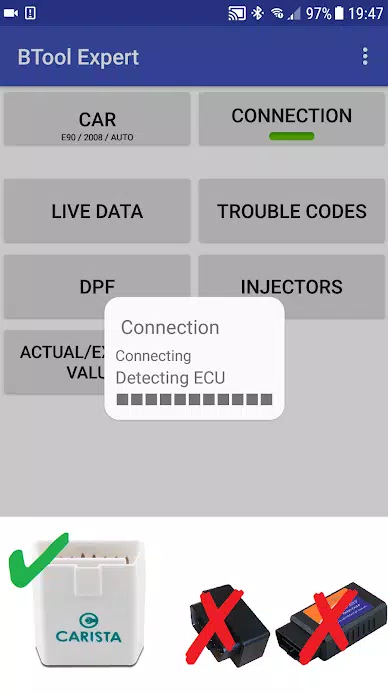
Note: A quality OBD adapter is essential. Recommended options include K+DCan cables, ENET adapters (for F/G series), or these Bluetooth adapters:
- Vgate vLinker MC/FS/BM/FD https://www.vgatemall.com/products/
- UniCarScan USCI-2000/USCI-2100: Configure in D-Can mode: MODE2 https://www.wgsoft.de/shop/obd-2-komplettsysteme/unicarscan/114/unicarscan-ucsi-2000-diagnoseadapter
https://www.bmdiag.co.uk/unicarscan-ucsi-2000-bluetooth-obd2-adapter
- Carista https://caristaapp.com/adapter
- Veepeak OBDCheck BLE https://www.veepeak.com/product/obdcheck-ble
Key features include:
- Monitoring DPF regeneration status with detailed insights
- Initiating DPF regeneration cycles
- Resetting DPF adaptation values (necessary after filter replacement)
- Analyzing exhaust gas pressure readings
- Reviewing injector calibration data
- Comparing actual vs. expected values for air mass, intake pressure, and fuel pressure
- Exporting diagnostic logs to CSV files
- Registering battery replacements (without configuration changes)
- Clearing short-circuit error lamp circuits
- Resetting service intervals for oil/brake maintenance**
Compatible OBD adapters:
- K+D-Can USB: Our top recommendation for reliability. Requires USB-OTG cable.
- ENET cable/WiFi Adapter: Ideal for F & G series. Requires USB-C to Ethernet conversion.
- ELM327 Bluetooth: Slightly slower than wired options. Only authentic ELM327 or PIC18-based units function. Limited compatibility with older engines.
- ELM327 WiFi: Similar stability concerns as Bluetooth. Some devices require mobile data deactivation for WiFi operation.
For assistance, please email us using the address provided in the footer section.
Getting started guide
1) Connect adapter to OBD II port
2) Switch ignition to ON position
3) Establish phone connection:
* USB: Link via USB-OTG cable. Select bimmer-tool when prompted.
* Bluetooth: Pair in phone settings (default PIN: 0000/1234).
* WiFi: Disable mobile data, connect to adapter's network.
4) Launch app, select vehicle model/year under 'Car'.
5) Configure 'Connection' settings for adapter type and protocol.
6) Press 'Connect' to establish communication.
**Usage restrictions:
Pre-2008 models and e46/e39/e83/e53 series require K+DCan cables and only support engine ECU diagnostics. Wireless ELM connections may fail.
Troubleshooting tips
- Intermittent 'No response' errors with pre-2007 vehicles: Enable ATWM in advanced settings.
- Connection failures: Verify settings, force-stop diagnostic apps, or reboot device before retrying.
Permission requirements explained
- Storage: Mandatory for USB connectivity
- Media access: Enables CSV file generation
- Bluetooth permissions: Essential for wireless adapters
- Network access: Supports WiFi functionality
- Location access: Bluetooth specification requirement (unused by app)
What's New in the Latest Version 3.7.6-L
Last updated on Nov 10, 2024
Added diesel idle calibration controls
Enhanced throttle body management