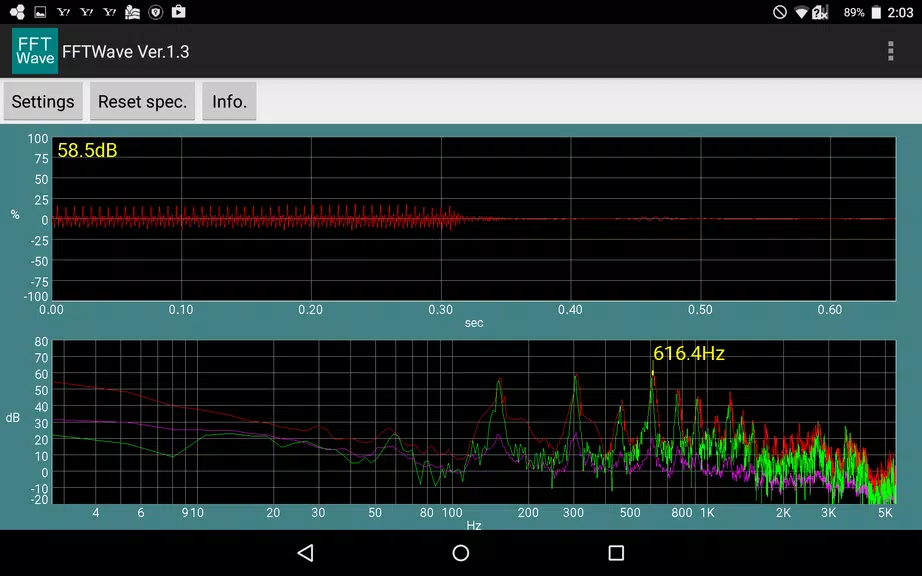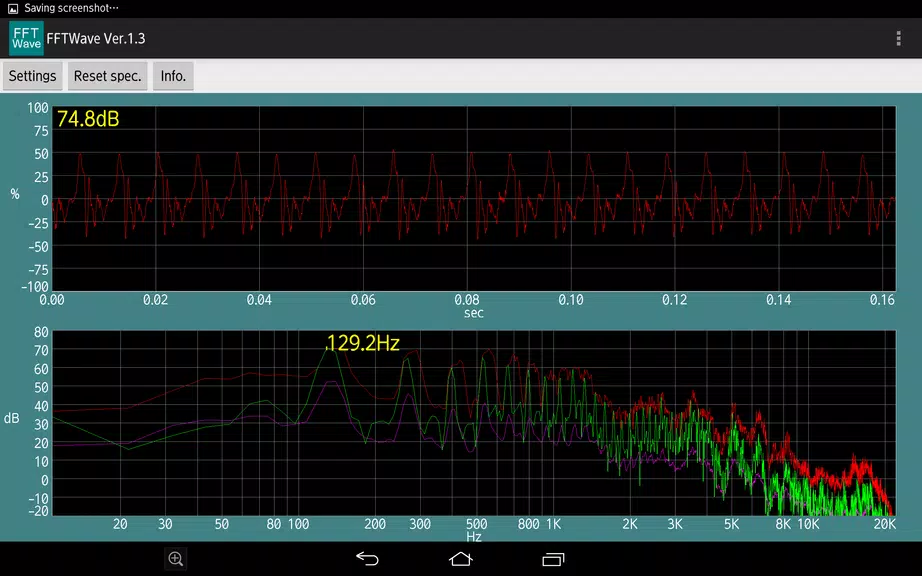

Looking for a dependable and intuitive sound monitoring application? Meet Sound monitor FFTWave. This free tool visualizes microphone sound waveforms and offers spectrum analysis using Fourier transforms. Check real-time frequency characteristics, detect and hold peaks, and adjust audio or prevent feedback effortlessly. With pinch-to-zoom gestures, exploring your data is simple. Whether you're a sound engineer or just curious about your acoustic environment, this app is your ideal portable sound lab.
Key Features of Sound Monitor FFTWave:
* Real-Time Sound Waveform Display: See live waveforms captured by your microphone for an engaging visual experience.
* Frequency Spectrum Analysis: Fourier transforms generate a frequency spectrum, helping you examine audio frequency details.
* Peak Detection and Peak Hold: Easily spot and analyze peaks in the audio with integrated peak detection and hold features.
* Pinch Zoom Gestures Support: Zoom in and out smoothly using pinch gestures to inspect waveform and spectrum data closely.
Best Practices for Users:
* Spot specific frequencies using peak detection, so you can fine-tune audio output for better quality.
* Try pinch zooming on the waveform or spectrum to highlight areas you want to analyze in depth.
* Apply the peak hold function to track level peaks over time and troubleshoot audio problems or detect data patterns.
Final Thoughts:
Sound monitor FFTWave is a flexible and easy-to-use app with powerful tools for audio monitoring, adjustment, and analysis. Ideal for pros and hobbyists alike, it gives you a hands-on way to explore sound data in real time. Start your sound exploration today—download the app and dive into the world of frequencies with confidence.