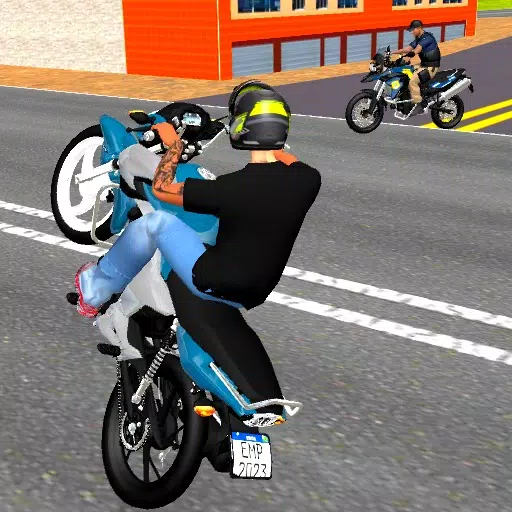
MadOut 2: Grand Auto Racing is a chaotic, multiplayer sandbox game reminiscent of the Grand Theft Auto franchise. It blends street racing, explosive action, and open-world exploration, offering a thrilling experience for players of all skill levels. This beginner's guide provides essential tips and strategies to get you started.
Mastering MadOut 2's Gameplay
MadOut 2 features two primary modes: a free-roam open world and competitive multiplayer. The open world is packed with missions, races, and opportunities for mayhem, while multiplayer lets you compete against players worldwide. Understanding the controls is crucial:
- Movement: Use the on-screen joystick or directional buttons to control your character or vehicle.
- Driving: Accelerate, brake, and steer using on-screen buttons or keyboard/mouse (PC).
- Actions: Utilize designated buttons to switch weapons, interact with objects, and execute special moves.
- Objective: Complete missions, win races, earn cash, and climb the ranks. Activities include races, car theft, combat missions, and exploration.
Navigating the Open World
The game boasts a large, sandbox map encompassing urban areas, highways, and off-road terrains. Utilize the in-game map to locate objectives, missions, and points of interest. Missions, indicated by map icons, reward you with cash, vehicles, or weapons. Completing missions unlocks new content and advances your progress. Don't forget to search for hidden collectibles scattered throughout the map for extra in-game currency and unique items.

Weaponry and Combat
The game offers a diverse arsenal, including pistols, shotguns, assault rifles, and explosives.
- Accurate Aiming: Employ manual or auto-aim for precise targeting.
- Utilize Cover: Use environmental objects for protection from enemy fire.
- Weapon Upgrades: Invest your earnings to enhance firepower and ammo capacity.
For an enhanced MadOut 2 experience, playing on a larger screen via BlueStacks with keyboard and mouse is highly recommended.