
Mastering Minecraft Mob Elimination: A Comprehensive Guide to the /kill Command
There are many reasons why you might want to eliminate mobs in Minecraft. The most straightforward method is using commands, specifically the /kill command. However, even this simple command has nuances. This guide explains how to use it effectively.
Before You Begin: Enabling Cheats
The /kill command requires a world with cheats enabled. If cheats aren't already activated, follow the instructions below for your edition:
Java Edition:
- Enter your world.
- Press Esc.
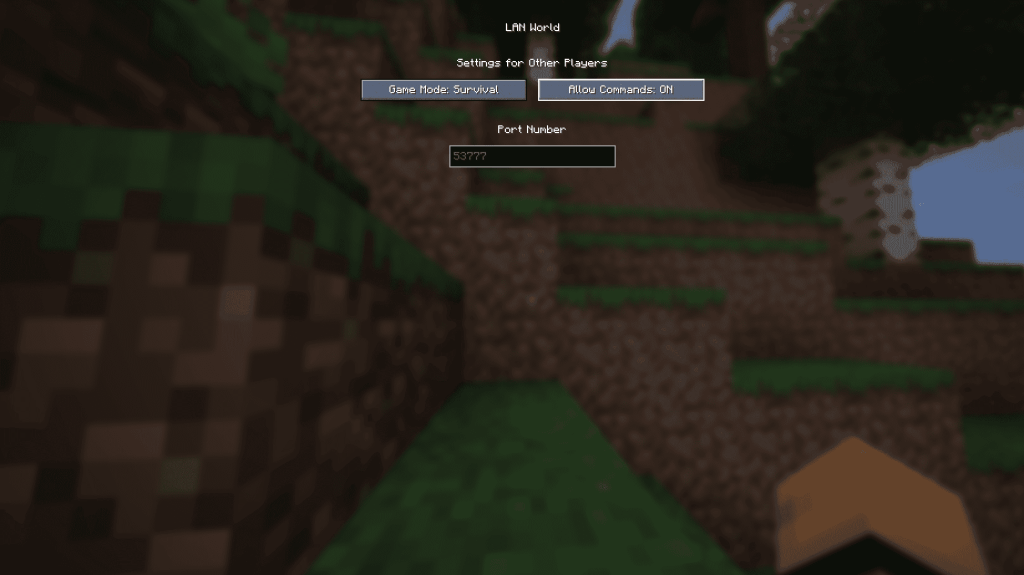
- Select "Open to LAN."
- Toggle "Allow Commands" to "On."
Remember: This enables cheats only for that session. To permanently enable cheats, create a copy of your world with cheats enabled during the world creation process.
Bedrock Edition:
- Navigate to your worlds.
- Select the world you wish to modify.
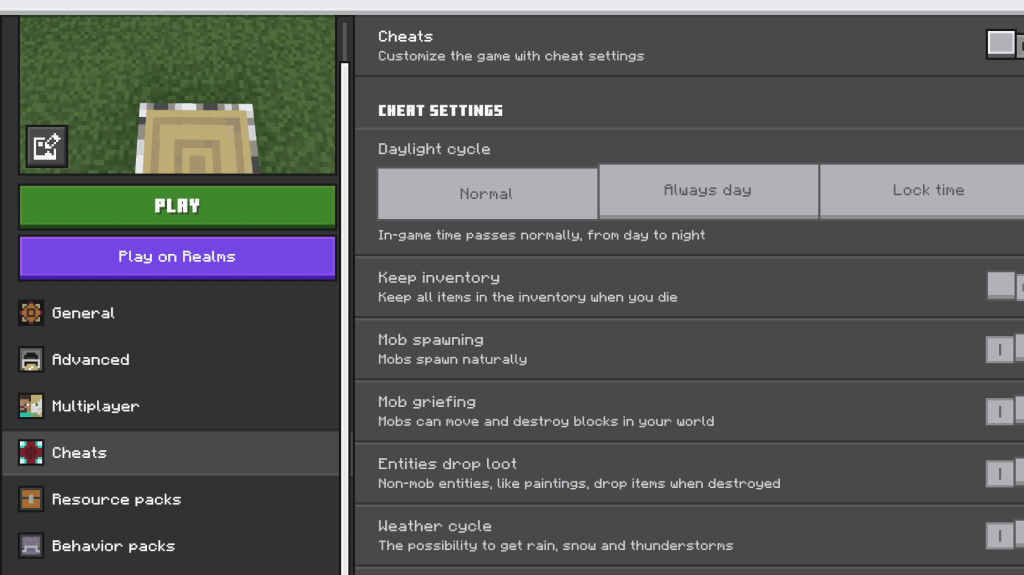
- Click the pencil icon to edit world settings.
- In the bottom-right menu, toggle "Cheats" to "On."
Using the /kill Command
The basic /kill command, entered alone, will kill your player character. To target mobs, you need to add selectors:
-
Killing All Mobs:
/kill @e[type=!minecraft:player]This targets all entities (@e) except players (type=!minecraft:player). -
Killing Specific Mob Types:
/kill @e[type=minecraft:chicken]This kills all chickens. Replaceminecraft:chickenwith the desired mob type (e.g.,minecraft:sheep,minecraft:zombie). -
Killing Mobs Within a Radius:
- Java Edition:
/kill @e[distance=..15]Kills all entities within 15 blocks. Adjust15as needed. - Bedrock Edition:
/kill @e[r=10]Kills all entities within a radius of 10 blocks. Adjust10as needed.
- Java Edition:
-
Killing Specific Mobs Within a Radius:
- Java Edition:
/kill @e[distance=..15,type=minecraft:sheep]Kills sheep within 15 blocks. - Bedrock Edition:
/kill @e[r=10,type=minecraft:sheep]Kills sheep within 10 blocks.
- Java Edition:
Important Selectors:
Familiarize yourself with these selectors for more precise targeting:
@p: Nearest player@r: Random player@a: All players@e: All entities@s: Yourself
The command will autocomplete, so you don't need to memorize the exact syntax. Experiment to get comfortable with it.
Minecraft is available on PlayStation, Xbox, Nintendo Switch, PC, and mobile devices.